NO LONGER SUPPORTED OR FUNCTIONAL DUE TO GOOGLE READER SHUTDOWN.
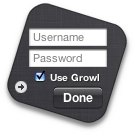
Now you don’t need to keep compulsively reloading Google Reader — gRead will keep an eye on your account and let you know when there’s something to get stuck into, through its built-in Growl support and on your Dashboard. And all it takes is a click to get you there!
Keeping you informed
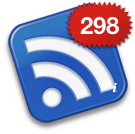
gRead is designed to be simple and bold, letting you know at a glance how your Google Reader account is doing with its large, clear unread items badge. gRead updates regularly, so it’s always got the latest information. That’s all it does — no fancy features to deal with. Oh, and the whole widget is a giant click target to take you right to Google Reader so you can get that unread count down. Neat, huh?
Maybe you don’t even need to know how many items there are, and just want a subtle indicator that they’re there. gRead’s got you covered there too — just ⌥ (option) click the i button to get to gRead’s advanced preferences and turn on Colours mode: blue means nothing new, green means there’s a little and red means you’ve got plenty to read!
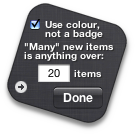

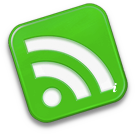

Colours mode — nothing, a little, or lots to read.
Growl support is built-in.
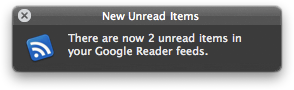
gRead can use Growl, the subtle, customisable notifications manager, to keep you informed. If you check the box to enable Growl notifications, then — assuming you have it installed — gRead will put a small notice up on your screen whenever it finds new material. It even works when Dashboad is hidden... because gRead will check for new articles in the background, every ten minutes.
Mac OS X Tiger v10.4.3 or greater is required. If you’re using Safari, click the download link. When the widget download is complete, the widget installer appears. Click Install if you want the widget installed on your Mac. If you’re using a browser other than Safari, click the download link. When the widget download is complete, unarchive and open it to show the widget installer.